
At the beginning of August, Shopify turned on WebMCP on every Liquid store. Without installing anything, without any merchant asking for it.
Two days before that, Cloudflare let every site turn it on with one switch in the dashboard, without a line of code.
And three days ago OpenAI announced that ChatGPT calls these tools.
This is about WebMCP and the 5 ways an agent connects to a website.
The original version was a thread in Hebrew on X, published August 30, 2026.
What are the 5 ways an AI agent works with an app?
To understand why this is big, you first need to understand the full map.
Today there are 5 ways an AI agent operates against an application. The difference between them is who writes the code, who holds the keys, and how easy it is to break it.
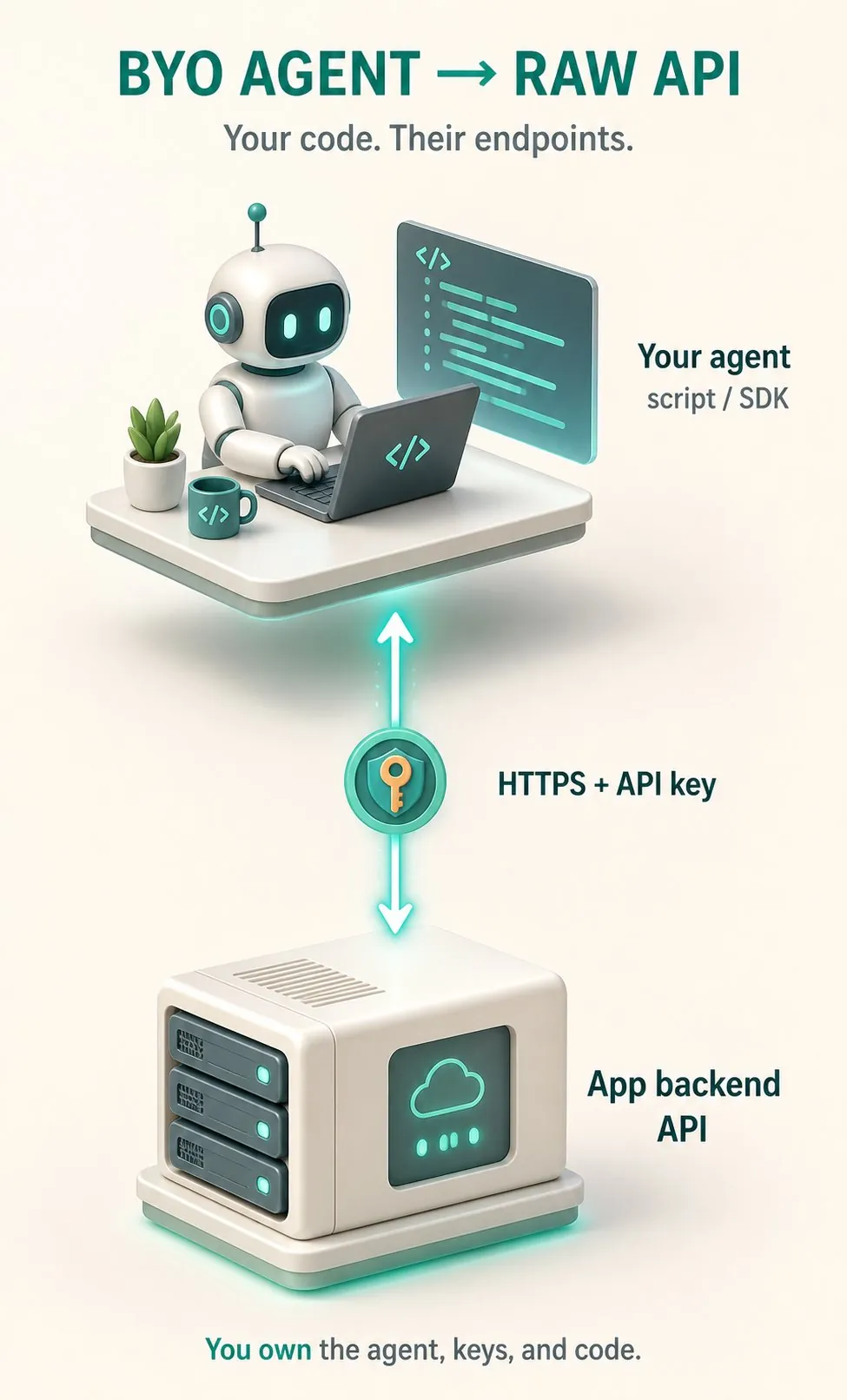
1. The agent talks directly to the API
The first way: your agent talks directly to the API. You write the code, you hold the API key.
The fastest and the most reliable. Also the most work, and it only works if the app has a public API to begin with. Zero UI.
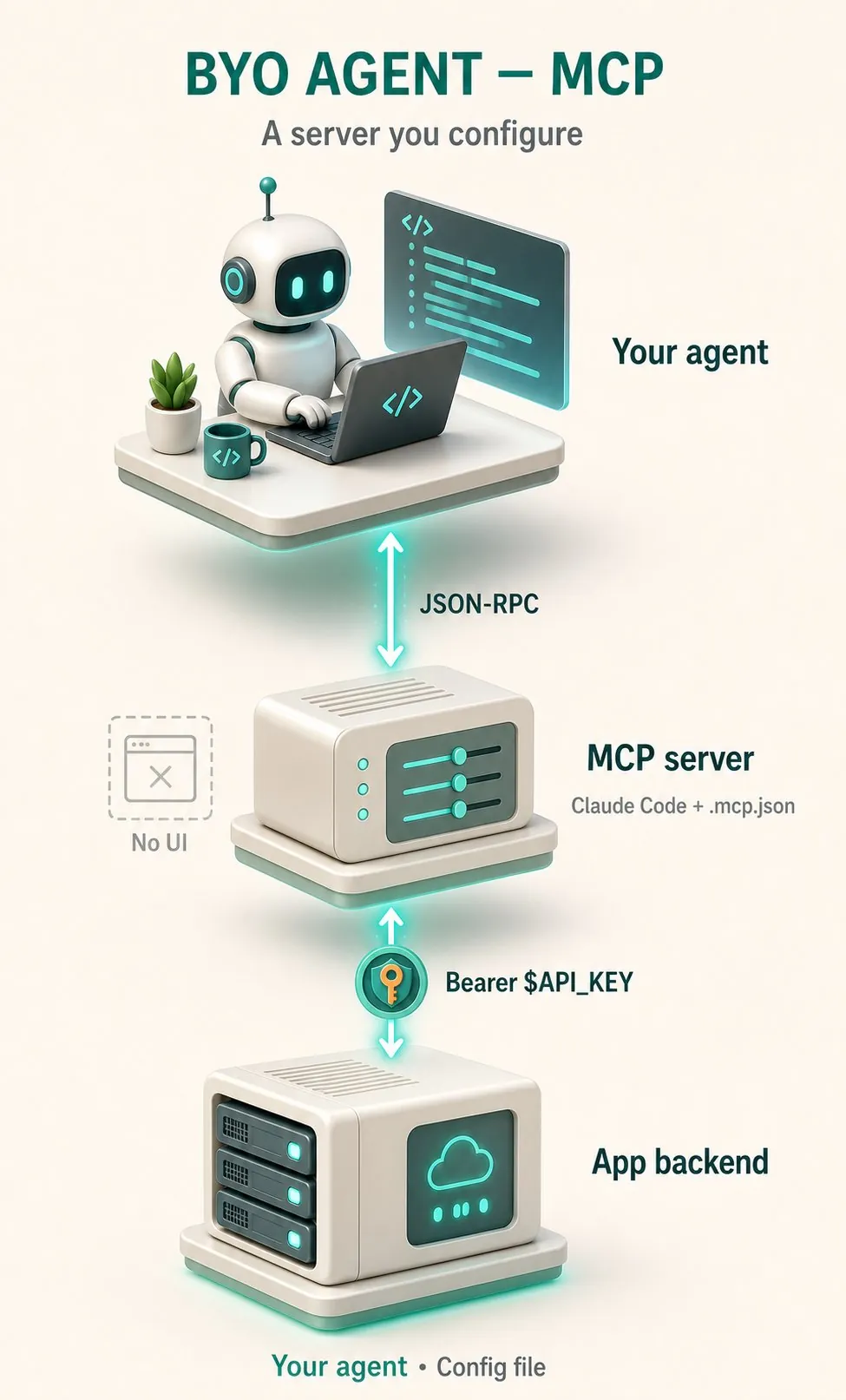
2. The agent talks to an MCP server
The second way: the same thing, with a standard layer in the middle. The agent talks JSON-RPC to an MCP server, the server talks to the backend.
The advantage: any agent that understands MCP connects without a dedicated integration.
The price: a config file, tokens, and an install for every user. Completely headless.
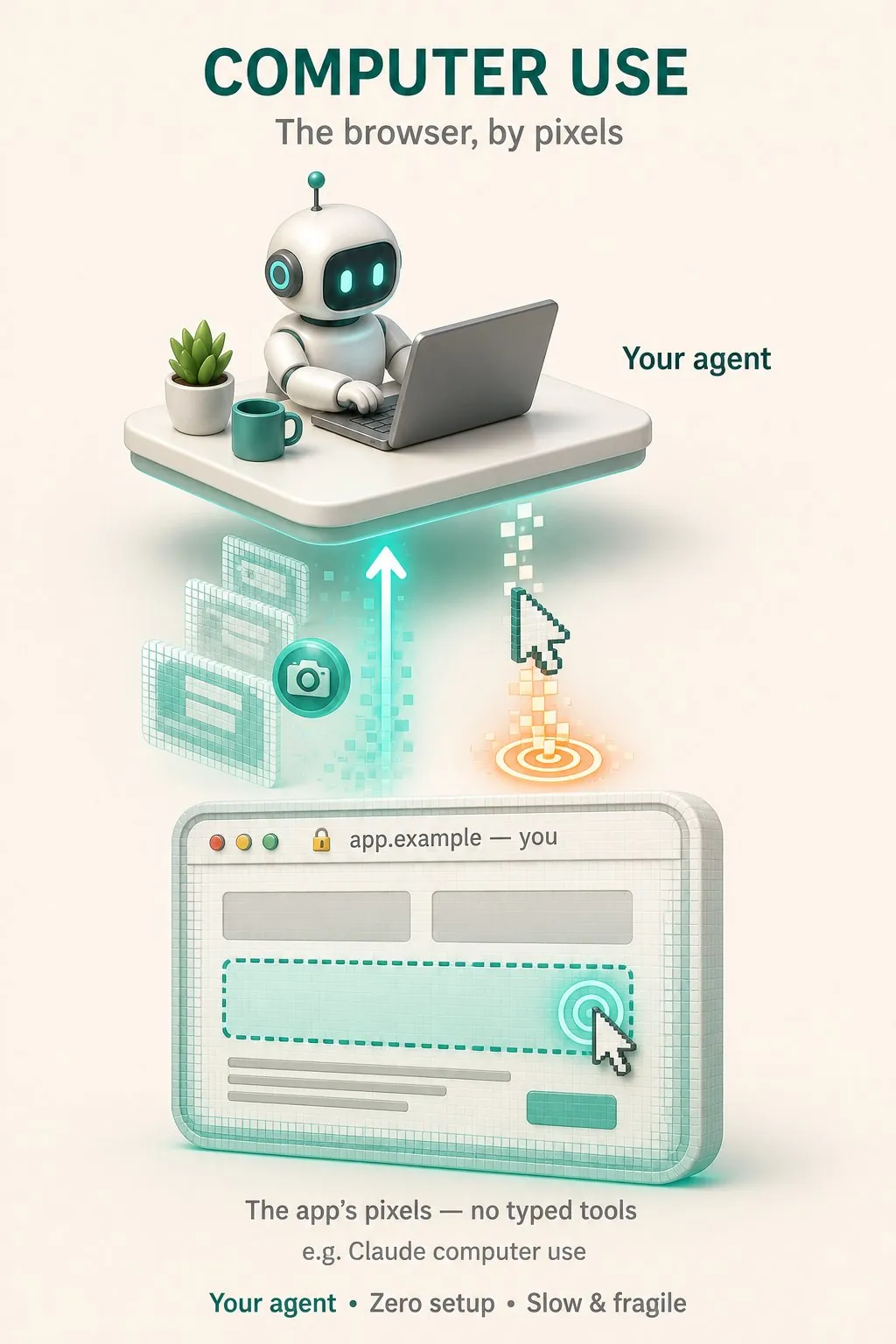
3. The agent clicks on screenshots
The third way: the agent gets a screenshot and clicks by pixels.
Zero setup, works on every site in the world.
Also slow, expensive in tokens and fragile. A small design change breaks the whole flow.
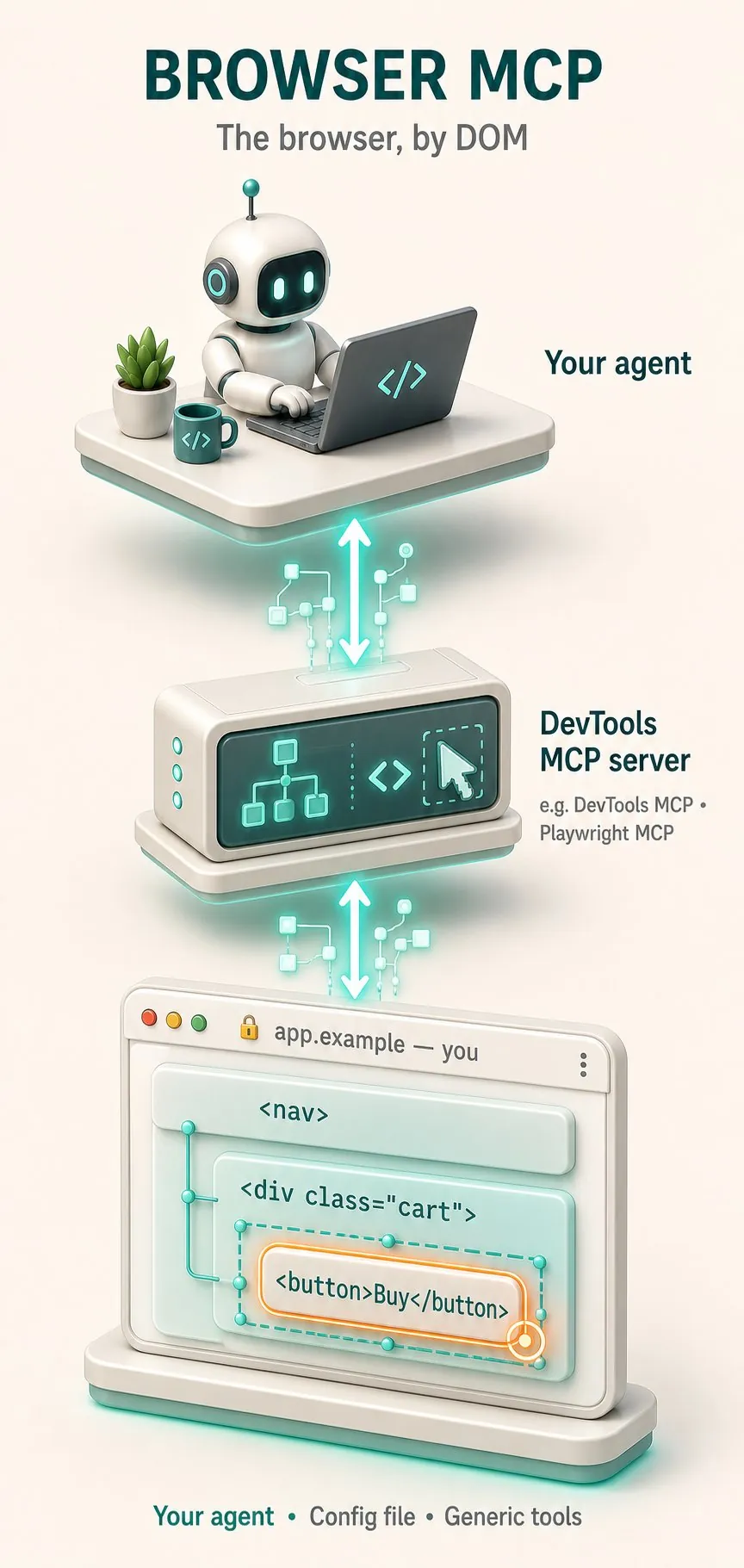
4. The agent reads the DOM through an MCP server
The fourth way: the agent reads the DOM through an MCP server like Playwright or DevTools MCP.
More precise than pixels, but the tools are generic: click, type, navigate.
The agent still has to figure out on its own what the site does, and it swallows a whole DOM into the context.
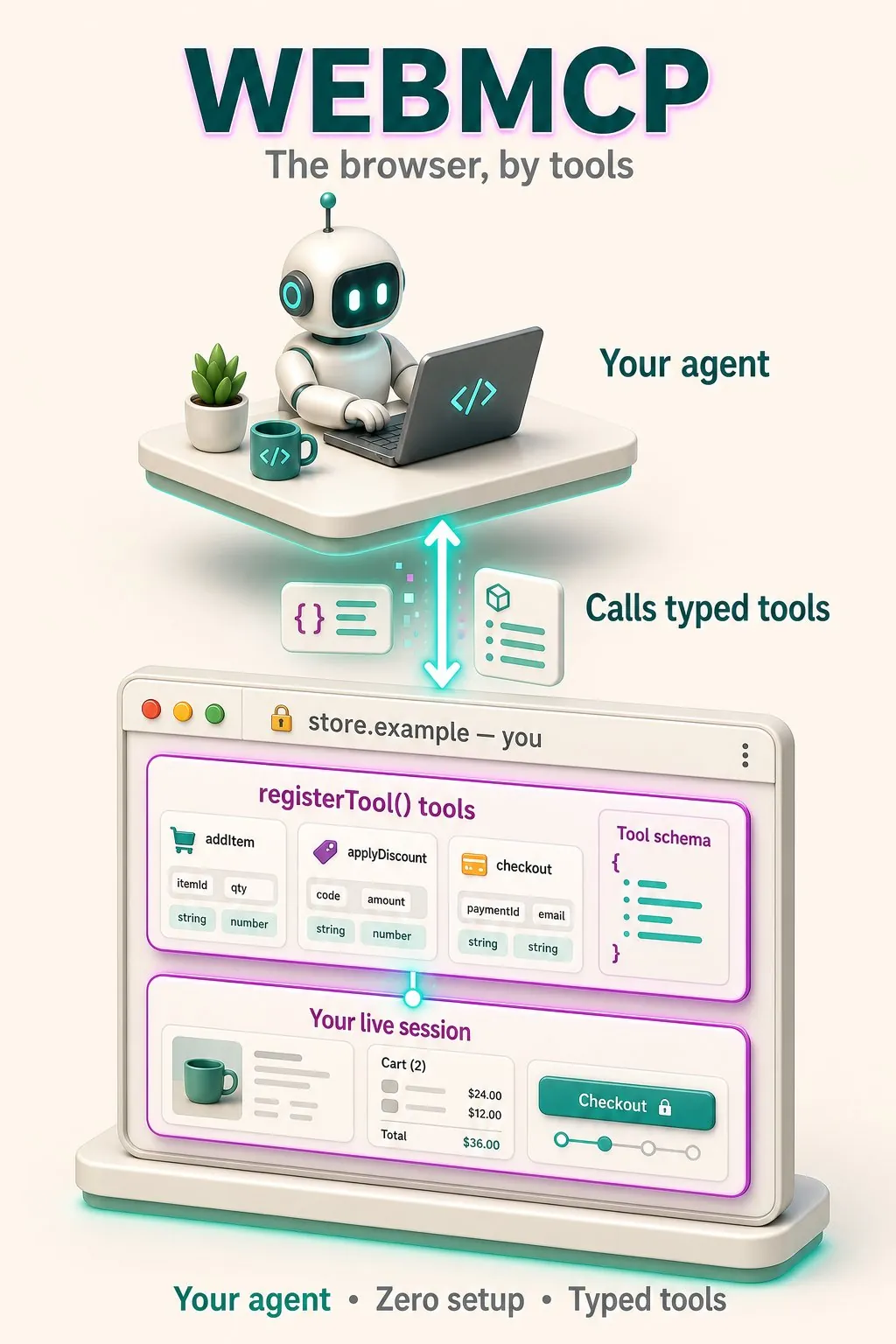
5. WebMCP: the site registers its own tools
And the fifth way is a reversal of everything.
The site itself registers defined tools:
document.modelContext.registerTool()
addItem(itemId, qty)
applyDiscount(code)
The agent the user brought with them calls them directly. No guessing, no selectors, no DOM.
How does WebMCP handle authentication?
What's important here is that the browser session is the auth layer.
The user is already logged into the site, so the tools depend on the login state. Logged in, sees all the tools. Not logged in, doesn't see them.
No API keys, no OAuth flow, no tokens floating around with the agent.
And there's also a path without JS: toolname and tooldescription annotations on a regular HTML form, and the browser derives a tool from it.
It's all behind a Permissions Policy called tools whose default is self, so an iframe from an external origin won't register tools on your page.
What's in the WebMCP spec today?
What's in the spec today is tools only. Functions with a name, a description and an input schema.
No resources, no prompts, no sampling like in regular MCP.
Sounds like a drawback, but this is exactly what lets it run inside a browser tab without a backend.
Does any real agent call WebMCP tools?
Until a month ago the biggest (and legitimate) criticism of WebMCP was that no real agent calls these tools. Someone even called their guide "Shipping a 0% Adoption Standard".
That's no longer the case. ChatGPT's internal browser supports it, and in Chrome you turn it on through
chrome://flags/#enable-webmcp-testingShould you check WebMCP on your online store?
Whoever has an online store, it's worth checking this week.
If you're on Shopify with a Liquid theme, the tools are already registered for you without you doing anything. Worth going to check and knowing what's exposed.
If you're behind Cloudflare, it's a switch in the dashboard under Agent Readiness.
Otherwise, it's a few hours of work.
An important warning before you run to implement: every tool registered on the page is an attack surface for prompt injection. There's an official security guide, read it before you expose checkout.
I'm looking into adding this to my site in the coming days (not that I sell anything there, but it could be interesting to offer booking meetings and sending messages), and I'm already talking about it with clients.
Whoever is working with this, let's talk. I'm looking for real examples from the field, not demos.
How I prepared this site for agents before WebMCP is in Make Your Website Agent-Ready, and building agents for clients is what I do in custom AI agents.
FAQ
What is WebMCP?
The site itself registers defined tools with document.modelContext.registerTool(), each with a name, a description and an input schema. The agent the user brought with them calls them directly. No guessing, no selectors, no DOM. The browser session is the auth layer, so there are no API keys, no OAuth flow and no tokens with the agent.
Is WebMCP better than a browser MCP like Playwright?
It isn't better, it's a different layer. Browser MCP gives the agent generic tools (click, type) and it has to figure out on its own what the site does. WebMCP flips the direction: the site owner writes the tools with a name and a schema, so the agent calls addItem instead of guessing where the button is. Regular MCP still wins for everything that runs without a browser.